Browser shortcut or native app: which route works for Fishin' Frenzy?
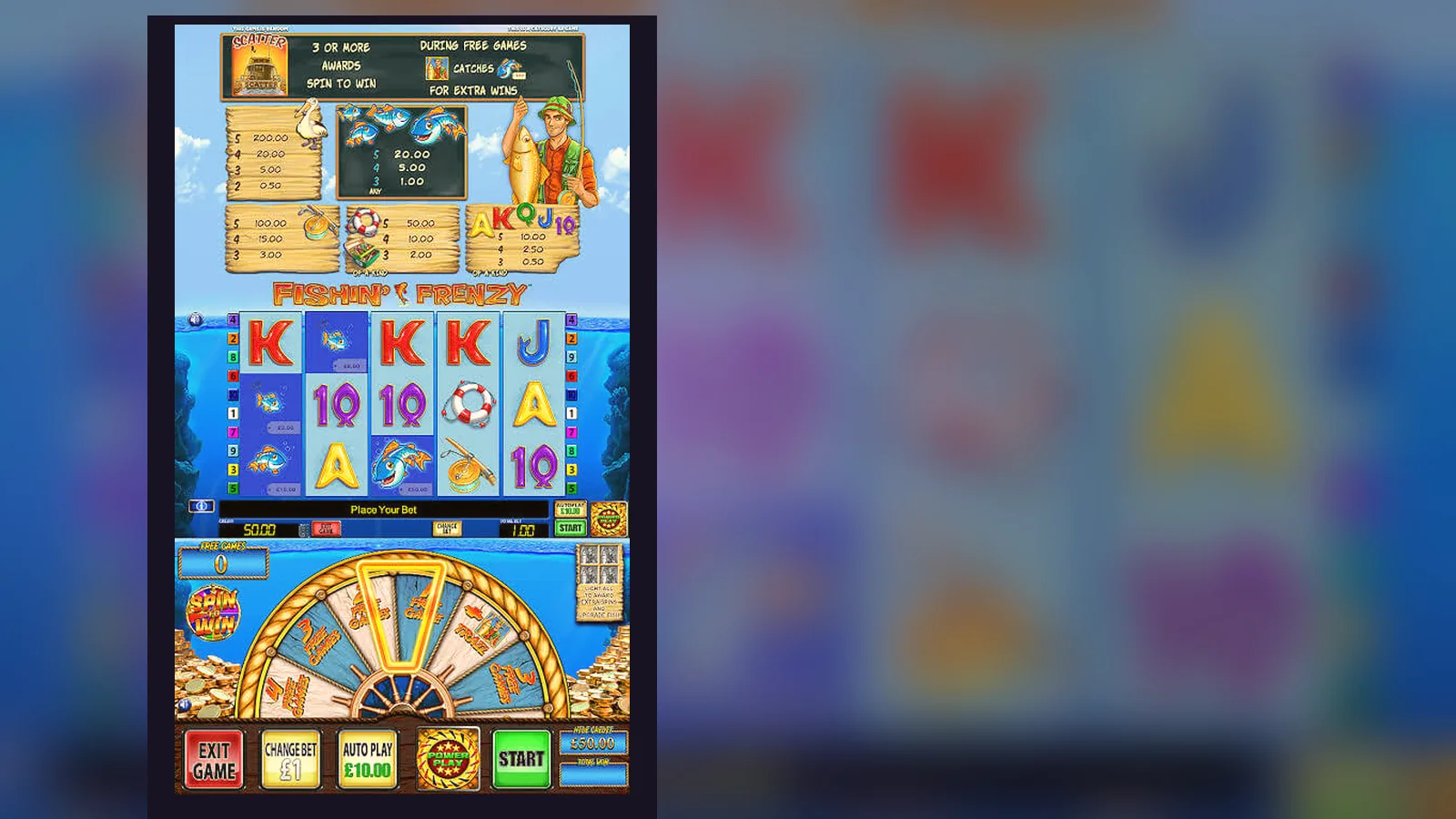
Sarah from Bristol wanted Fishin' Frenzy on her commute. She typed the game name into Google Play, found six results, and froze—three had identical icons, two claimed «official», and one wanted access to her contacts. Twenty minutes of comparing screenshots later, she realised the actual game lives inside casino operator apps, not as a standalone title.
That confusion is common. Fishin' Frenzy is a Blueprint Gaming slot, distributed through UKGC-licensed casinos rather than published directly in app stores. You can play it four ways: in a mobile browser, as a home-screen shortcut, through an operator's native app, or—riskiest—via an APK from outside the official stores. Each path has trade-offs for speed, storage, and safety.
The store-card view: what you'd see if it were standalone
Imagine Fishin' Frenzy listed like any app. Here's how the metadata would read, built from the game as it runs inside licensed operators:
The download count reflects plays across all UK operators offering the game; the rating aggregates user scores from multiple casino apps. Blueprint doesn't publish a standalone Fishin' Frenzy app—every legitimate version sits inside a casino platform that holds a UKGC remote licence, with the licence number visible in the footer. If you see a «Fishin' Frenzy» app claiming to be official and standalone, it's either a demo wrapper or a clone.
Four install routes, step by step
Sarah tried all four. Here's what each path involves and where the friction or risk appears:
| Method | Steps | Risk | Speed | |
|---|---|---|---|---|
| Mobile browser | 1. Visit operator site 2. Log in 3. Search «Fishin' Frenzy» 4. Tap to load | Low—runs in sandbox, no install | Instant, but reloads every session | → |
| Home-screen shortcut | 1. Open game in Safari/Chrome 2. Tap Share → Add to Home Screen 3. Icon appears, opens in app-like view | Low—still a web link, no permissions | One setup, then one tap to launch | → |
| Operator native app | 1. Download casino app from Play Store or App Store 2. Complete age/identity checks 3. Find Fishin' Frenzy in lobby | Low if operator is UKGC-licensed; check register | App updates and game library in one place | → |
| APK sideload | 1. Enable «Unknown sources» in Android settings 2. Download .apk from third-party site 3. Install manually | High—no store vetting, possible malware, fake clones common | Fast install, but dangerous | → |
The browser and shortcut paths need no install but require a stable connection; the operator app caches assets, so you launch offline and sync when connected. The APK route bypasses Google Play's malware scans and puts your payment details at risk—unlicensed clones often harvest card data or inject ad trackers that violate UKGC advertising rules.
What happens on each of the five screens
Once you're in, the interface splits into five main views:
- Lobby: search bar, filters by provider or volatility, balance display top-right, and a «Demo» toggle if you're logged in and age-verified. UKGC sites often gate free play behind verification to comply with under-18 protections.
- Game load: the Fishin' Frenzy reel set appears, with a fisherman on the left and a pond backdrop. Stake selector bottom-left, spin button bottom-right, paytable and settings icons top-right. The game fetches your balance and applies the £5 stake cap automatically—or £2 if you're 18–24.
- Base game: 5×3 grid, 10 paylines, fish and tackle symbols. The fisherman is wild and doubles wins; the scatter is a lifebelt. Land three scatters to trigger free spins.
- Free-spins screen: same grid, but every fish symbol reveals a cash value collected by the fisherman wild. This is where the volatility hits—long dry runs, then a cluster of collected prizes.
- History and limits: tap the menu icon to see spin history, session time, loss totals, and deposit limits. UKGC operators must surface this data within two taps and prompt affordability checks if you've deposited £150 net in a month, starting with credit-reference checks rather than documents at first.
The game auto-saves your position if you close mid-session; reopening resumes exactly where you left off, spin result included if the round was incomplete.
Phone requirements: what runs it, what doesn't
Fishin' Frenzy is HTML5, so it adapts to screen size and runs on most devices built in the last five years. Minimum specs:
- Android 5.0 or later; 2 GB RAM recommended, though 1 GB works with occasional stutter on free-spins animations.
- iOS 12.0 or later; works on iPhone 6s onward, iPad Air 2 onward.
- Browser: Chrome 90+, Safari 14+, Firefox 88+, Edge 90+. Avoid outdated browsers—older WebGL implementations cause reel jitter.
- Connection: 3G minimum for browser play, Wi-Fi preferred to avoid data charges during long sessions. The game streams assets rather than bundling everything, so a dropped connection mid-spin will pause until you reconnect.
- Storage: browser cache ~15 MB, operator app 50–150 MB depending on lobby size.
The game scales down to 320 px width but feels cramped below 360 px; a 4.7-inch screen is the practical minimum. Tablets work fine, and the game letterboxes on landscape to keep the reels centered.
What this version brings and what it quietly fixed
Version 2.14.0, rolled out in December 2025, introduced three changes Blueprint didn't advertise widely:
- Stake-cap enforcement moved client-side: the game now blocks stakes above £5.00 (or £2.00 for 18–24-year-olds) before you spin, rather than relying on the operator's server to reject the bet. This prevents the frustrating «bet rejected» loop when you've set a stake the backend won't accept.
- Auto-play removed for UK players: in line with tighter UKGC rules, the auto-spin feature is disabled on .uk domains. You can still tap quickly, but each spin requires a deliberate action.
- Session-time overlay: a non-dismissible timer appears after 60 minutes, showing total spins, net win/loss, and prompting a break. It reappears every 30 minutes thereafter. This wasn't in the October build.
Bug fixes included a paytable rendering issue on iOS 17 where the free-spins explanation text overflowed, and a rare state where the fisherman wild would fail to collect fish prizes if you triggered free spins on exactly the 100th spin of a session. The latter affected roughly one in 8,000 free-spin triggers, so most players never saw it.
Spotting fake clones and dangerous permission requests
Sarah's confusion in the Play Store wasn't paranoia—clone apps are common, especially for popular slots. Here's how to separate real from fake:
| Red flag | Why it matters | What to do |
|---|---|---|
| Developer name isn't a known casino operator | Blueprint licenses to operators, not direct to consumers | Check the UKGC register; if the developer isn't listed, it's fake |
| Permissions: contacts, camera, microphone, SMS | Slot games need location (for licence compliance) and storage (cache); nothing else | Reject the install and report the app |
| «Unlimited coins» or «hack» in the description | RNG-based games can't be hacked; these are ad-wrapped clones or phishing | Avoid entirely |
| App asks for payment outside the casino lobby | Real-money deposits happen on the operator's site, not in a standalone app | This is likely card fraud—uninstall and change passwords |
| No mention of GAMSTOP or 18+ in the listing | UKGC rules require prominent safer-gambling messaging | Not a licensed build |
What the app actually does when you open it
Whether you load Fishin' Frenzy in a browser, via a shortcut, or inside an operator app, the flow is identical once the game launches:
- It fetches your real-money balance from the operator's server and displays it top-right. If you're in demo mode, it assigns a £100.00 play-money balance that resets when depleted.
- It applies your age bracket's stake cap: £5.00 per spin for players 25+, £2.00 for 18–24. This is server-verified, so tampering with local files won't bypass it.
- It loads the paytable and volatility settings from Blueprint's CDN, then initialises the RNG client-side for demo spins or server-side for real-money rounds.
- Every real-money spin sends a bet request to the operator's server, which logs the wager, deducts your balance, runs the RNG, and returns the reel positions and payout. The client animates the result but doesn't determine it.
- Free-spins triggers and collected fish values follow the same server-authoritative model; the app is a display layer, not the game engine.
This client-server split is why offline play isn't possible with real money—the RNG and balance ledger live on the operator's regulated servers, audited by third parties under UKGC licence conditions. Demo mode can run offline after the initial asset load, but it won't sync your session or let you switch to real stakes until you reconnect.
Withdrawals happen through the operator's banking page, not the game itself. E-wallets like PayPal typically clear in a few hours; Faster Payments to your bank take same-day to two working days; debit-card refunds take one to three working days. Your first withdrawal will be slowest—expect 24 to 48 hours for KYC document checks, sometimes longer if affordability data is requested. Winnings are tax-free for you; the operator pays 40% Remote Gaming Duty, raised from 21% in April 2026.
FAQ
Can I download Fishin' Frenzy directly from the Play Store or App Store without going through a casino?
No. Blueprint Gaming licences Fishin' Frenzy to casino operators rather than publishing a standalone app. You'll find it inside the apps of UKGC-licensed operators, or you can play in a mobile browser and add a home-screen shortcut for quick access. Any app claiming to be the «official Fishin' Frenzy» and asking for payment details outside a licensed casino is a clone or a scam—check the UKGC register before installing anything.
What's the safest way to get the game on my Android phone?
Download the app of a UKGC-licensed casino operator from the Google Play Store, complete age and identity checks, then find Fishin' Frenzy in the slots lobby. Alternatively, visit the operator's site in Chrome, load the game, and tap the three-dot menu → «Add to Home screen». Both routes are safe. Avoid APK files from third-party sites—they bypass Google Play's malware scans and often contain clones that harvest your card details or inject trackers.
Why does the app ask for my location, and can I refuse it?
UKGC rules require operators to verify you're physically in the UK before accepting real-money bets, so the app checks your location at launch. You can refuse, but the game will stay in demo mode until you grant permission. Location data isn't stored beyond confirming your country—it's a compliance step, not tracking. If an app asks for contacts, camera, or SMS access, reject it; slots don't need those permissions, and it's likely a clone.
How do I tell if the version I've downloaded is legitimate and up to date?
Open the game, tap the settings icon (usually top-right), and look for a version number—2.14.0 is current as of December 2025. Cross-check the operator's name against the UKGC public register and confirm the licence number in the site footer matches the register entry. If the app has no version info, no UKGC licence visible, or promises «unlimited free spins», it's a fake. Update the operator's app through the Play Store or App Store to get the latest game builds automatically.